About
This website is provided by:
HERE (DE) GmbH
Am Kronberger Hang 8
65824 Schwalbach
Germany
If you require credentials or any technical support, please contact the HERE Technical Customer
Support at tcsplatform@here.com or your HERE
representative.
Testsuite
We have created this web application for the testing and demonstration of Geocoder. You can try its API features easily, and see results plotted on the map. For this purpose the Testsuite makes use of the Geocoder REST API, as well as the HERE Maps JavaScript API.
There are usually two Geocoder hosts available for testing, but some users may get more options.
HERE Production runs the production grade version of Geocoder that customers use under SLA. HERE is committed to maintain the best possible production service for all customers. Given that the production environment is live and common to all API users, we request that you use the alternative Customer Integration Testing (CIT) environment when evaluating our products, running tests, making changes in your code and altering the way you access our APIs.
HERE CIT allows you to test your software against a newer version of the service before HERE brings that version into production. CIT offers a fully functional environment for customers to use for development and testing, but it does not support high loads or performance testing in general.
Geocoder Testsuite provides the following main features:
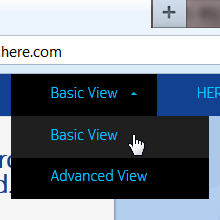
Switch between the Basic and Advanced View. The search capabilities are alike; however the Basic View will only give you the most common options.
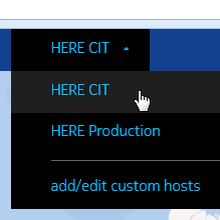
Select the right Geocoder host for testing. HERE CIT is the default, but you may switch to HERE Production. See also explanation above.
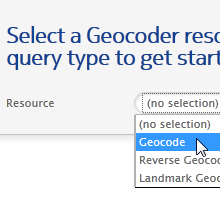
You need to choose a Resource and Query Type first. Depending on your selection the supported fields i.e. API parameters will appear.
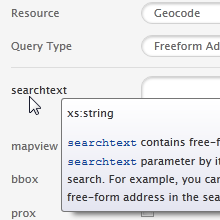
Most search fields reflect parameters of the Geocoder API. Tooltips with additional information will appear when you hover over the field name.
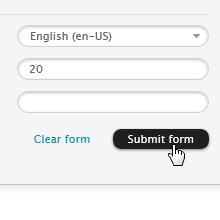
Once you are done with your input, press ???Submit form????. This will send a request to Geocoder, and map the result.
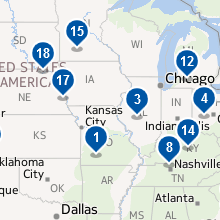
The numbered icons on the map represent your result. Clicking the right-hand list will center and zoom in the map.
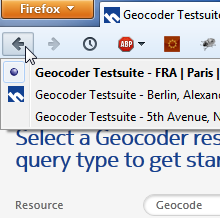
Use the regular browser history to switch back and forth between submitted requests. The page titles describe the kind of query.
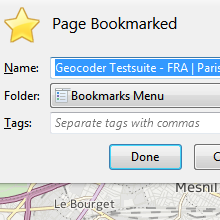
Bookmark the current URL to resume your work later. All settings including the input data will be restored. Even more convenient with auto-login enabled.
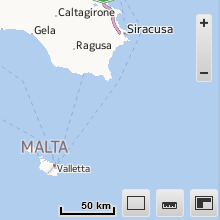
There are a few map controls such as zoom in/out, draw up or pan map, ruler and mini map. You can switch the unit of the scale.
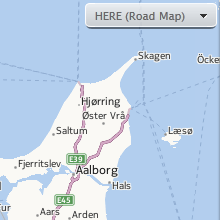
You may want to change the map type e.g. for satellite imagery. This can be done with the menu in the upper right corner.
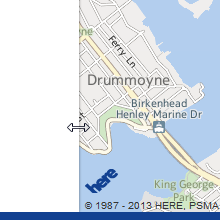
On smaller screens the usability can be improved by adjusting the panels. Hover over the edge and drag it sidewise.
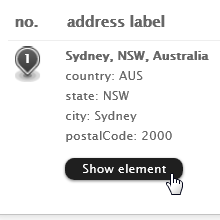
In the Advanced View you can check out the Geocoder response in JSON format. Click one of the black buttons.
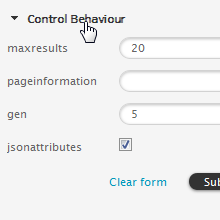
The Advanced View includes a lot of fields. You may close unneeded functions groups. Their status is retained for your next session.
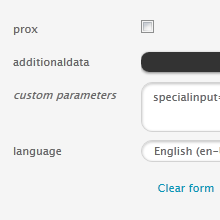
The Advanced View offers a special field named custom parameters. It allows you to fine-tune your Geocoder request (experts only).
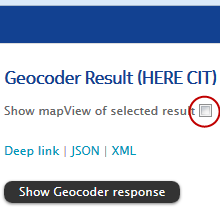
If this option is chosen, a grey rectangle will appear on the map. It depicts the mapView area as returned by the Geocoder.
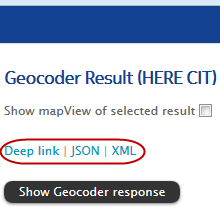
Use the first link to point someone to your Geocoder result in Testsuite. The other links include the API calls for a JSON resp. XML response.
The footer shows the Geocoder API call. You can copy and paste the URL into another application. It is also possible to paste and transmit a valid Geocoder request (press Enter key).
Session data such as the previously used view, host, form and map type are stored locally, and applied upon your return. You can clear the local configuration under Settings. Some users may get more options.
For the best experience your computer should meet the system requirements of Testsuite:
- Microsoft Internet Explorer 9 or later, running on Windows (Batch Geocode demo requires version 10 or later)
- Mozilla Firefox (latest), running on Windows, Mac OS X or Linux
- Google Chrome (latest), running on Windows, Mac OS X or Linux
- Apple Safari 6 or later, running on Mac OS X or Windows
- Apple Safari running on iOS 6 or later (iPad only)
JavaScript must be enabled, which is the default setting. Tablets other than iPad
are not fully supported yet.
Geocoder
The Geocoder API offers three core functions: geocoding, reverse geocoding, and landmark geocoding. All are available through the same service interface.
- Geocoding finds an address based on text input. In addition to the addresses' geographic coordinates, the response contains complete and correctly spelled addresses. Address input can be a qualified, structured address or a free-form single search text string with full or partial address information.
- Reverse geocoding takes geographic coordinates (latitude/longitude) as input. The reverse geocoding results include the closest street addresses or area information. Results are ranked by proximity to the input location or a single area.
- Landmark geocoding combines geocoding, landmark search and reverse geocoding. It supports search for addresses, areas, regions, landmarks, and locations of national importance. Landmark geocoding supports basic reverse geocoding, accepting a variety of geographic coordinate formats.
The Geocoder string analyzer understands the difference in address formats across countries and the output includes localized address labels. Geocoder supports multiple languages and writing scripts. It includes many advanced options like results scoring, spatial filters, the inclusion of additional data with the results, e.g. postal code shapes, cross streets, or admin IDs.
Geocoder has global coverage for all 196 countries plus additional territories. Premium coverage including house number level is available for over 90 countries. In these countries you get accurate results with continuously updated automotive grade maps, precision to the door-step with Point Addressing for 222 million addresses in over 50 countries and address range based interpolation and extrapolation anywhere else. Geocoder also includes selected street level coverage for over 40 countries, and selected city level coverage for the remaining countries & territories.
More information about Geocoder is available on the HERE Developer website.
The HERE Developer website also includes the latest API Guide.